TL;DR
- AI tools bring new risks: data leaks, extra access, and unmanaged "shadow AI."
- Before rollout, check data handling, access rights, vendor security, and your incident plan.
- Over half of enterprise AI use happens without IT approval.
- A simple checklist and one clear owner prevents many AI security problems.
Use this checklist to know what to check, what to ask, and when to escalate before you approve your first AI tool. It covers six areas: data handling, access scope, vendor security, data location, logs, and incident response. Many IT and ops managers are under pressure to move fast on AI while security rules are still catching up, and that gap is where most problems start.
Why Are AI Tools Riskier Than Regular Software?
AI tools don't just store data. They move it, summarize it, and route it in ways that are hard to review by eye. A file upload feature might quietly send documents to a third-party model. A chatbot plugin might request far more access than it needs.
According to Akamai's 2026 State of the Internet report, AI browser extensions show a higher rate of known vulnerabilities than browser extensions overall and are more likely to request broad permissions such as cookie or scripting access.
What Is Shadow AI?
Shadow AI is any AI tool your team uses without formal approval: someone pasting client data into a free chatbot to finish a task faster. Recent industry research shows that unapproved AI tools make up over half of all AI use inside companies. This usually isn't bad intent; it's people choosing speed over waiting for approval. The fix isn't a blanket ban. It's giving your team a fast, approved option so they don't go looking elsewhere.
What Should You Check Before Approving a New AI Tool?
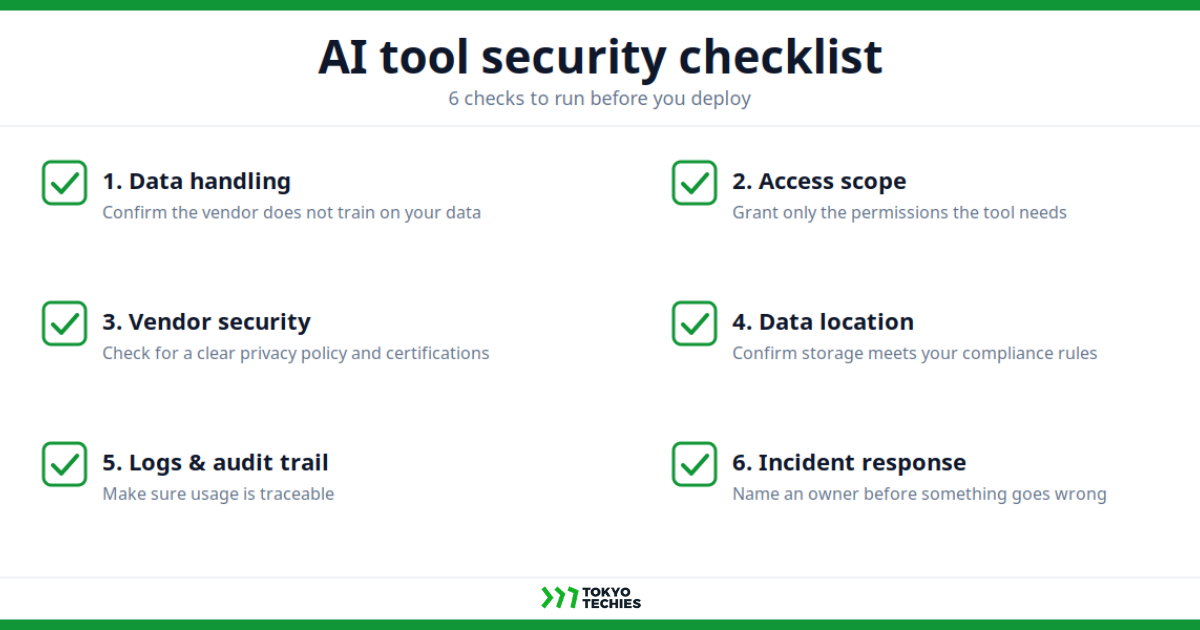
1. Data Handling
Question: Does this tool use our data to train its models?
Why it matters: If your data trains the vendor's model, it can shape outputs other customers see, a real exposure for confidential or client data.
What to check: Look for the training policy in the privacy policy or data processing agreement, and check whether opt-out is available and on by default.
When to escalate: If the answer is vague, buried in marketing language, or the vendor can't confirm in writing, loop in whoever owns data privacy before proceeding.
2. Access Scope
Question: What company systems and data can this tool access?
Why it matters: Broad access means a single compromised tool can expose far more than it needs to do its job.
What to check: Review the OAuth permission screen and admin settings. Can access be limited by user, role, folder, or system? This follows the principle of least privilege: a tool should only ever have the minimum access it needs to do its job, nothing more.
When to escalate: If the tool requests access to an entire Drive, CRM, or Slack workspace when only a small subset is needed, escalate to IT before granting access; this is one of the highest-leverage risks on this list.
3. Vendor Security
Question: Can the vendor show us how they secure our data?
Why it matters: A vendor's own security posture becomes part of yours the moment you connect your data to their system.
What to check: Look for relevant security evidence, such as a SOC 2 report, ISO 27001 certificate, security whitepaper, or other documentation appropriate to the vendor and your use case.
When to escalate: If the vendor deflects, stalls, or points only to a marketing page instead of real documentation, treat that as a signal in itself and bring it to your security lead.
4. Data Location
Question: Where is our data stored and processed?
Why it matters: Data residency affects which regulations apply and where your legal exposure sits if something goes wrong.
What to check: Ask for the data residency statement and confirm it against your own compliance obligations (Japan, EU, or elsewhere).
When to escalate: If the vendor can't specify a storage region, or the region conflicts with your obligations, involve legal or compliance before moving forward.
5. Logs & Audit Trail
Question: Can we see who used this tool, on what data, and when?
Why it matters: Without logs, you can't investigate an incident after the fact or prove what happened if a client asks.
What to check: Check the admin dashboard for exportable usage logs and confirm how long they're retained.
When to escalate: If no usage logs exist, or they're visible only to the vendor and not to you, flag this to IT; it limits your ability to respond to any future incident.
6. Incident Response
Question: If this tool leaks data, who does what, and how fast?
Why it matters: Response speed often determines how much damage an incident causes and what you're required to disclose.
What to check: Look for the vendor's incident notification SLA, and confirm you have a named internal owner for this tool.
When to escalate: If neither side has a plan, no vendor SLA and no internal owner, pause deployment until at least one exists.
How Do You Read the Results Across All Six Checks?
Look across all six checks rather than judging each in isolation. A tool that's solid on data handling, access scope, and vendor security but weak on logging is usually fine to start small with real oversight. A tool that struggles on access scope and incident response deserves a harder look, since those two gaps compound each other: no visibility into what happened, and no plan for what to do about it.
Do You Need Expensive Security Tools to Do This?
Not necessarily. Larger enterprises invest in dedicated AI governance platforms, but mid-size companies can run this entire checklist with three things: a written data-handling policy, one person who owns approvals, and this six-question framework applied consistently.
One security review of small business AI use found that most AI-related risk comes down to unclear rules, not missing technology. When staff know exactly what they can and can't type into an AI tool, most of the risk goes away.
How Tokyo Techies Approaches This with Clients
When we help clients roll out AI tools, including our own chatbot product, we start with this same checklist before touching implementation. In practice, that usually means a short workshop to map what data the tool will touch, a plain-language rule the team can actually follow, and a named internal owner for ongoing reviews. It's rarely about buying more security software first; it's about making the decision process repeatable so it doesn't rely on one person remembering every step.
Key Takeaways
You don't need a leap of faith to deploy your first AI tool. Work through the six checks, know what "why it matters" means for your business, and know exactly when a question needs to go to someone more senior than you. Most AI security problems trace back to unclear rules, not exotic attacks, so a clear checklist gets you most of the way there.
If you're weighing your first AI deployment and want a second opinion on the security side, we'd love to talk. Feel free to reach out to the Tokyo Techies team.
Technical Review by:
Marc Olivier, Head of AI Division
Vince Millora, Software Engineer